Scoped campaigns
Scope a campaign by business unit, control category, framework or risk rating, or run the full population. Controls with no owner are exposed at scoping, before anyone is asked to assess.

Run a defined population of controls through self-assessment in one period. First-line owners assess, second-line reviewers validate or return with a reason, and progress counts only work that has been independently validated.
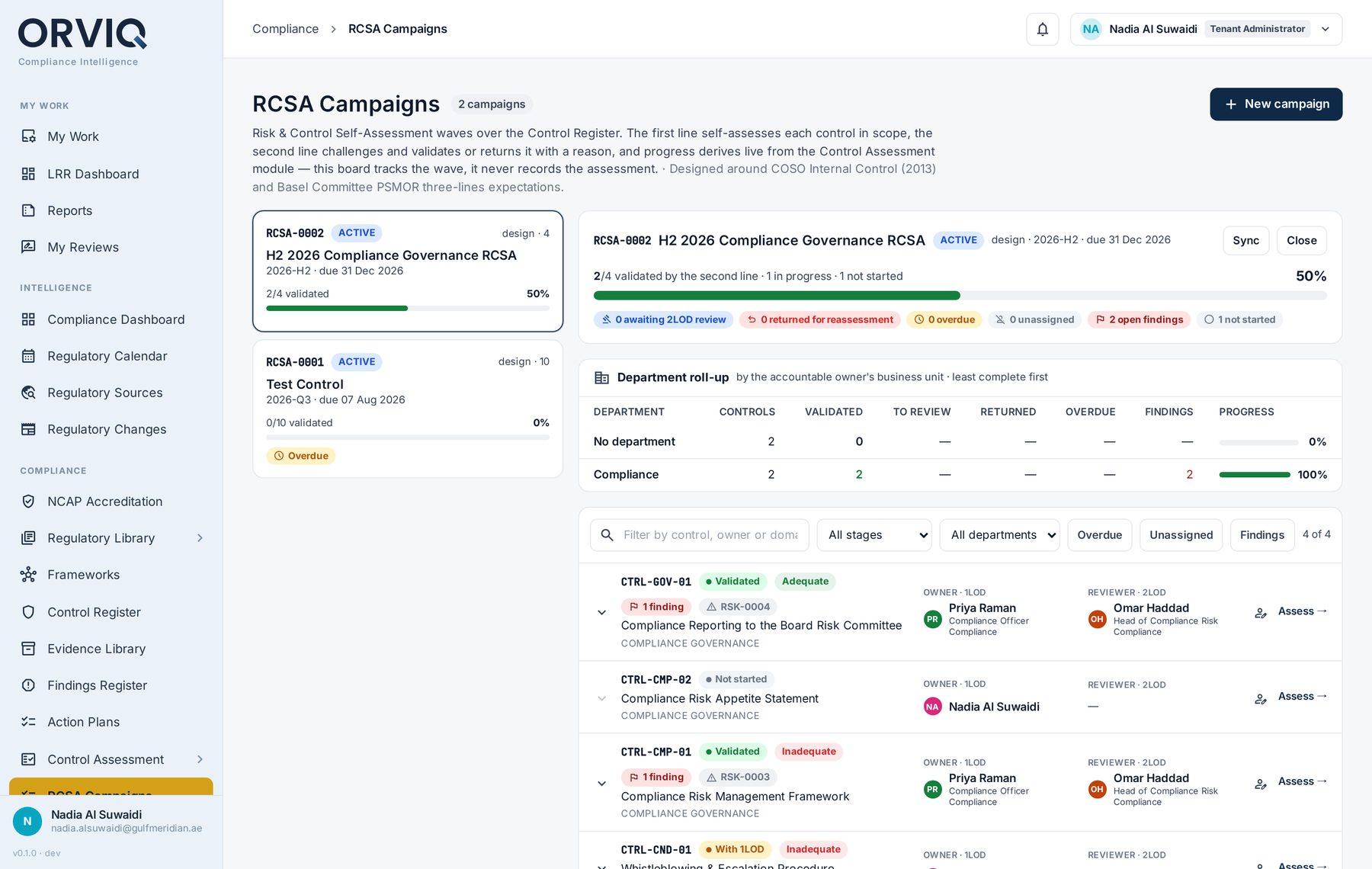
RCSA campaign board: validated progress, department roll-up and per-control owner and reviewer.
A campaign gives a whole assessment exercise a scope, a progress view and a clean close.
Scope a campaign by business unit, control category, framework or risk rating, or run the full population. Controls with no owner are exposed at scoping, before anyone is asked to assess.
Activating a campaign creates assessments and places them in each owner's Workbench with notifications, so owners act in one place instead of chasing spreadsheets.
Each assessment goes through its own review chain and the assessor cannot approve their own work. Deficiencies become findings with the source recorded as RCSA.
Campaign states keep preparation, assessment and the final record separate.
Set the period, the assessment type and the population of controls.
Check every control in scope has an owner. Gaps become visible here.
Assessments are created and routed to owners through the Workbench.
Follow completion by owner and by business unit, and sync scope if controls change.
Reviewers validate or return each assessment with a reason.
The campaign closes and its results are frozen for reporting.
RCSA reporting is only useful if the numbers cannot flatter the exercise.
Work that has been started, or submitted but not yet reviewed, does not move the completion figure.
Deficiencies found during assessment become findings with the source recorded, and are tracked like findings from any other source.
A tightly scoped campaign with high completion tells you more than a broad one that owners cannot finish.
Walk through scoping, owner assessment and second-line validation with our product team.